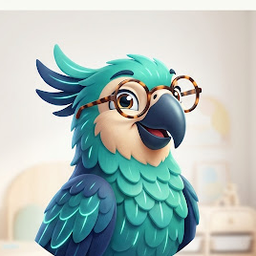
Polly the parrot waving

Your AI early years companion

How it works — your complete guide

Polly is your experienced early years colleague. See the five things she does, then scroll for the full guide to every feature — so you're up and running with zero guesswork.

Childminder reviewing a policy document with a warm smile
💬 Step 1 · Ask Polly

Ask anything — get a real answer

Type a question like you'd ask an experienced colleague. Polly knows the EYFS, what Ofsted looks for, and every resource here — and points you straight to it.

Try Polly free →
Polly
Polly
📅 Step 2 · Plan my week

A whole week, planned in one tap

Tap "Plan my week" and Polly picks a timely theme, then builds a Monday–Friday plan — each day with a lesson video, linked resources, a hands-on activity and a talk-together question.

Plan your week →
📅 This week: Minibeasts & Our Garden
✨ Step 3 · Make a sheet

Need a specific sheet? Just describe it

Can't find the exact thing? Tell Polly what you need — she makes a clean, print-ready sheet for your children in seconds. No garbled AI text, no weird pictures.

Make your own sheet →
🦋
🔎 Step 4 · Find a resource

Find the perfect resource fast

Search the library by topic or age, or just ask Polly. Clean, un-watermarked PDFs ready to print — across all seven EYFS areas.

Browse the library →
🔎 Library
🎬 Step 5 · Play a lesson

Interactive lessons for the children

Play a circle-time lesson on your TV. It pauses for "let's talk about it" moments, and the children tap to answer — so they're learning together, not just watching.

See the lessons →
Bees & flowers…
Lovely talking! There are no wrong answers.
Great thinking together!

The full guide — every page, explained

Policy & Play is one membership with a handful of pages. Here's what each one is for and exactly how to use it — follow the customer journey, or jump to the bit you need.

Before you join — browse & try, free
🔎

The Library

Where every printable, policy, form and activity pack lives — browse it all free before you join.

How to use it

  1. Open the Library. It's grouped by category — pick one, or type in the search box (try "bees", "phonics", "autumn").
  2. Use the Age filter to narrow down to your children's stage.
  3. Click any item to preview it. Free visitors see watermarked previews; members download clean, watermark-free PDFs.
The free safety posters are yours to download even without an account — a good way to see the print quality first.
Open the Library →
💬

Try Polly

Your AI early years colleague — she knows the EYFS, what Ofsted looks for, and every resource here, and you can ask her free with no account.

How to use it

  1. Go to Try Polly and type a question in plain English — e.g. "Next week is bee week, what do I need?" or "Help me write an observation for a 2-year-old."
  2. Polly answers and links you straight to the right resource in the library.
  3. Ask follow-ups in the same chat — keep going until you've got what you need.
Polly gives friendly, practical guidance. For formal safeguarding, legal or medical decisions she'll point you to the proper authority — and you should always check current EYFS and Ofsted requirements.
Ask Polly free →
Joining & checkout
🔑

Join the membership

One membership unlocks clean downloads, the AI studio, autofill and everything else — £14.99/month or £99/year, cancel anytime.

How to use it

  1. Click Join — £14.99/month (or choose £99/year to save).
  2. Pay securely through Stripe and create your sign-in details.
  3. You land on your dashboard with everything unlocked — no software to install.
Already joined? Sign in any time to pick up where you left off.
Join now →
After you join — set up, then use it daily

Set up your details (once)

Enter your setting name and postcode once so every policy, form and contract fills in with your details automatically.

How to use it

  1. On your dashboard, add your setting name and postcode.
  2. From your postcode, the right local authority and safeguarding-board details are added for you.
  3. Open any policy or form — your details are already in place. Edit anything to suit your setting before you print.
Do this first and the rest of the toolkit is ready to print straight away.
🏠

Your dashboard

Your home base after signing in — Polly, your week planner, the AI studio and your account all sit here.

How to use it

  1. Click "Ask Polly" (the ✨ button) any time to open the chat.
  2. Use "Plan my week", "Make your own sheet" and your saved "My creations" from the main panel.
  3. Find "Manage subscription" and account options in the sidebar.
📅

Plan my week

Builds a full Monday–Friday plan around a timely theme in one tap — each day with a lesson, linked resources, a hands-on activity and a talk-together question.

How to use it

  1. On your dashboard, tap "Plan my week". Polly picks a timely theme and lays out Mon–Fri.
  2. Open any day to see the lesson, resources and activity, and print what you need.
  3. Email the plan to yourself, add it to your calendar, and switch on a daily reminder so each morning's plan is ready.
Not feeling the theme? Ask Polly to plan around a different one — e.g. "plan my week around autumn instead."

The AI studio — make your own sheet

Can't find the exact sheet? Describe it and the studio makes a clean, print-ready version tailored to your children in seconds.

How to use it

  1. On your dashboard, open "✨ Make your own sheet".
  2. Describe what you need — e.g. "counting 1–10 with dinosaurs for a 3-year-old, space to write the numbers" — or paste a sheet you found to make one like it.
  3. Pick a style, then create. About 30 seconds later it appears in "My creations" — click to download the PDF and print.
Each sheet is your draft — give it a quick check before printing. Your creations are private to you.
🛡️

Policies, forms & contracts

Your Ofsted-ready paperwork — 20+ policies plus forms, records and parent contracts, all autofilled with your details.

How to use it

  1. Find the policy or form you need in the Library, or ask Polly which ones you need.
  2. It opens pre-filled with your setting details. Read it through and edit anything to match how you actually work.
  3. Download the clean PDF, then print or save it for your records and your inspection folder.
Templates are a starting point — always tailor them to your setting and check current EYFS and Ofsted requirements.
🎬

Interactive lessons

Circle-time lesson videos for your TV that pause for "let's talk about it" moments, so the children learn together rather than just watching.

How to use it

  1. Open Lessons and pick one that matches your theme.
  2. Play it on your TV or screen. It pauses at talk-together moments and the children tap to answer.
  3. Print the matching activity sheet to carry the lesson on after the video.
Grow your setting & manage your account
🎓

New to childminding?

A step-by-step tracker that takes you from "where do I start?" to Ofsted-ready, so nothing gets missed during registration.

How to use it

  1. Open the Become a Childminder tracker.
  2. Work through the stages in order, ticking off each step as you go.
  3. When a step needs a policy or form, grab it from your library — already autofilled with your details.
Open the tracker →
🗺️

The childcare directory

A local listing so parents searching for childcare in your area can find you.

How to use it

  1. Open the Directory to see how settings are listed.
  2. Use "List your setting" to add yours — name, area and the basics parents look for.
  3. Keep your details current so your listing stays accurate for local families.
View the directory →
⚙️

Your account & billing

Manage your membership, password and data — all from your dashboard, in your own time.

How to use it

  • Manage or cancel — dashboard → "Manage subscription" opens the secure Stripe portal. Cancel anytime; you keep access until the period you've paid for ends.
  • Forgot your password? — use "Forgot password" on the sign-in page.
  • Cookie choices — the "Cookie settings" link in the footer.
  • Delete your account — dashboard → "Delete my account" (permanent; this also cancels your subscription).
Stuck on anything? Ask Polly — she can usually point you straight to the answer.

Getting started — the quick path

From first look to printing your first sheet, in four steps.

1
Browse & try Explore the library and ask Polly — free, no account.
2
Join Unlock everything for £14.99/month — cancel anytime.
3
Set up once Add your setting name and postcode so documents autofill.
4
Find or make it Search the library or make a bespoke sheet, then print a clean PDF.

Everything in your toolkit

One login, one price — £14.99/month. No more juggling sites.

💬
Polly, your AI colleagueAsk anything — EYFS, Ofsted, ideas.
📅
Plan my weekA full Mon–Fri plan in one tap.
🔔
Calendar & remindersYour week by email, calendar & a daily nudge.
🎬
Interactive lessonsCircle-time videos with tap-to-answer.
AI studioMake any sheet on demand.
📚
250+ printablesAll seven EYFS areas, ready to print.
🛡️
20 Ofsted-ready policiesAutofilled with your details.
📋
Forms & recordsAccidents, observations, trackers.
🔎
Ofsted prepRegistration, practice questions, statements.
💷
Business adminFee letters, contracts, autofill branding.
🗺️
Childcare directoryGet found by local parents.
🎓
Becoming a childminderStep-by-step registration guide.
Get all of this — £14.99/month →

Or try Polly free first · £99/year · cancel anytime